Create Database in MySQL using PHPMyAdmin
In order to create a new database in MySQL follows the steps given below:
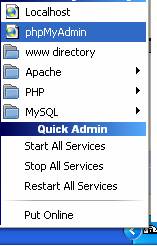
Step 1: Launch PHPMyAdmin from the taskbar as shown below:
Step 2: Enter name of new database in the Textbox and click on create button as shown below:
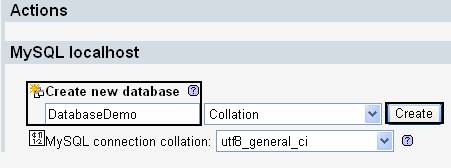
Step 3: As you click on Create button it will create a new database .
Create Database in MySQL using PHP Script
In order to create new database write following script in the PHP file:
<? php
// Establish Connection with MYSQL
$con = mysql_connect ("localhost","root");
// specify the query to create Database
$sql = "CREATE DATABASE DBDEMO";
// execute query
mysql_query ($sql, $con);
// Close the Connection
mysql_close ($con);
echo "Database Created Successfully";
?>